misc.joy

explorations by kenley neufeld

misc.joy header image 1

24 Days on Retreat Begins Friday

June 10th, 2009 · Comments

It is a sweet opportunity and gift from my lovely wife and partner. Thank you. Every time I plan and attend a retreat, a few questions arise from friends. Where are you going? What is it like? Is it silent?

I leave Friday morning for Deer Park Monastery in Escondido, a Buddhist monastery in the tradition of Thich Nhat Hanh. The monastery sits on about 300 acres of open land next to another preserve. Very beautiful. I typically spend 4-6 weeks per year at the monastery as an ordained member of the Order of Interbeing (we’re asked to do 60 Days of Mindfulness per year). This particular visit is different because the first 19 days will be without my family. We usually go as a family but Leslie suggested some time for myself and they will come at the end for the Family Camp Annual Retreat.

[Read more →]

CommentsTags: Buddhism · Family

Today I Have 20 Years Sober, Thank You

June 8th, 2009 · Comments

It was twenty years ago today that I took my last drink of alcohol. I was 21-years old at the time and it was my third or fourth attempt at stopping. Today I am living on grace, and though I don’t speak publicly of this very often, I want everyone to know how proud I am of being sober for two decades and to thank those who have helped me along the way.  This is a day to remember the goodness in suffering.

[Read more →]

CommentsTags: Buddhism · Environment · Family · General · Politics

Files, Files Everywhere

May 9th, 2009 · Comments

Dropbox HomeThis is about ubiquitous file management. Do you work on multiple computers, maybe even on different types of computer platforms? You may carry a USB drive or email files to yourself, but there are slicker options available. Dropbox is a tool for storing your files on your local machine and in the cloud. It is a free service, up to 2GB of storage, but also has premium accounts for additional storage needs. I have been happily using Dropbox for about nine months and find it meets my needs of ubiquitous file management.

I typically work on two Apple Macs, two Ubuntu systems, and one Windows XP system (plus my iPhone). How can I keep all my files in sync and also available on my local hard drive (for when I’m without internet)? Dropbox.

Aside from providing access to your files anywhere, even from your iPhone (viewing only), you can also save files securely, share any folder with a specific group, or put items into a public shared folder. Other features.

The first step is to download the Dropbox application. Second, copy your files into the Dropbox folder on your local computer. The files will automatically be uploaded to your Dropbox account online. If you install Dropbox on another computer, all files in the online account will be copied to the new local machine. Your files are now located in three places: original computer, online, and second computer. If a change is made on either of the computers then the file will automatically sync with the cloud and the other computer. Keep in mind that if you are uploading/downloading a huge number of files, it may take a while the first time but then only files with changes will sync. [Read more →]

CommentsTags: Technology

Ubuntu Rising on Two Dells

May 5th, 2009 · Comments

Wubi
Image via Wikipedia

In all it took about 6-hours to install Ubuntu on its own partition on my two Dell laptops and most of that time was unattended while running defrag on the Windows machines. The process is simple and I find the speed and power of the Ubuntu system to far outweigh my Windows environment. For now, I have kept Windows installed on the system because there are a couple applications I’d like access to and I’m not sure how well they will work in a virtual space. Perhaps at some future point I will recoup the Windows space too.

Here are the steps I took to install:

  1. Download and create Ubuntu CD. Just follow their simple directions for creating and testing the installation CD (1-hour).
  2. Remove any unnecessary applications from my Windows environment to free up space. Useful step on a smaller hard drive systems like mine (30-minutes).
  3. Defrag Windows environment (4-hours).
  4. Restart computer and boot to Ubuntu CD to begin install (30-minutes).
    1. During the install, I manually created three new partitions (2 GB swap, 10 GB root, and 10 GB home) from the Windows partition.
  5. Reboot and choose the OS to launch (Ubuntu or Windows).

That’s it! The Ubuntu install comes with Firefox, Open Office, Email application, and many other software options.

CommentsTags: Technology

Video of Reference Desk Toolkit

April 20th, 2009 · Comments

Recorded with my Flip MinoHD camera, but only captured first 23-minutes because I had recorded the first presenter.


Reference Desk Toolkit from Kenley Neufeld on Vimeo.

CommentsTags: Library · Technology · teaching

Reference Desk Toolkit

April 16th, 2009 · Comments

I’ve been invited to a presentation on reference desk tools at Mt. San Antonio College on Friday, April 17. The moderated panel presentation is sponsored by CARLDIG-South and I will be sharing the stage with Michelle Jacobs of UCLA and Amy Wallace of CSU Channel Islands.

If I remember to video or audio my talk, it will be posted after Friday. In the meantime, here are the slides for my presentation:

CommentsTags: Library · Technology · teaching

MacBook Pro - I Will Not Gush.

April 13th, 2009 · Comments

A 17" Apple MacBook Pro
Image via Wikipedia

I will not gush. I will not gush. Though I’ve been a Mac user for 15-years at work, this is the first Mac that I’ve purchased personally. It is hard to believe that this move has finally happened. When I noticed our family Dell laptop starting to lose life, and I’d been using the work MacBook a bit more frequently, it seemed time to give the Mac a closer look for the family computer replacement. The other thing that played a key role in the decision is my transition to cloud computing. My email and all my files are happily living in the cloud.

When decision time came, it became a choice between the iMac, the MacBook, and the MacBook Pro. Since this will be our primary family computer and also serve as our “television” when we watch DVDs, we wanted something that would last and meet those needs. The iMac was a brief consideration but we opted not to get it because we need flexability to move the computer around the house and the office. The primary difference between the MacBook and the MacBook Pro is about 2″ of screen real estate, a faster video card, and some extra ports. Oh, and $400. Even that isn’t 100% correct because the Apple Care will cost you more on the Pro version too. Nonetheless, we decided on the Pro because we really wanted the larger screen. We made two visits to the San Francisco Apple Store and finally made the purchase at the San Luis Obispo Apple Store.

[Read more →]

CommentsTags: Family · Technology

Cultivating Music in 2009

March 18th, 2009 · Comments

Rocco DeLuca and the Burden

Rocco DeLuca and the Burden

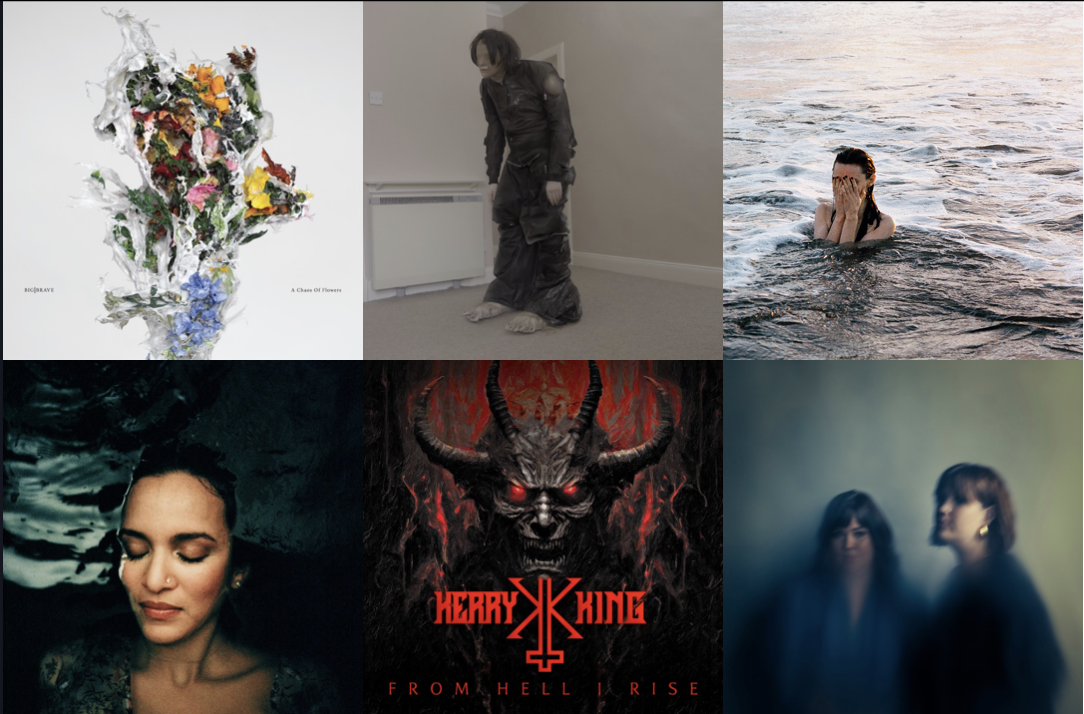
The last two months have  been a boon for my musical collection. Typically I purchase quite a bit of music in a year, but for some reason I have added twelve new pieces to my collection in the last two months and I’d like to share my thoughts on 11 of those releases.

In addition to playing my iPod at my desk, I also have a 45-minute commute each direction, which provides plenty of opportunity to listen to music. My musical tastes vary considerably and I hear about music from a few key friends, listening to KEXP, and reading the linear notes of my existing collection. Take for example the new release by Rocco DeLuca and the Burden. Though I’ve heard of him, and almost went to see him last year, the motivational factor on this purchase was that Daniel Lanois produced Mercy. Dan is one of my top artists and producers, so I usually grab anything related to him. Once again, this is not a disappointment. A great blues release with subtle lyrics and an angelic voice. Clearly a unique sound on an old style. The “Lanois” sound does not come through too strong like it did on the Willie Nelson, Emmylou Harris, Bob Dylan, and U2 productions but if you listen closely then you can hear it. You won’t be disappointed.

Bon Iver

Bon Iver

Where was I last year when Bon Iver released For Emma Forever Ago? This is a truly fantastic lo-fi release that I heard on KEXP’s “Music That Matters” podcast. Recorded in a hunting cabin during the Wisconsin winter, guitar and voice blend together a stirring story and an enjoyable piece of music. It came out in mid-2008 and if you haven’t  heard this, you might find it of interest.

I’m still a fan of purchasing an entire release and listening to it from start to finish (and also usually purchase the physical media). After I become a little familiar with the music as it is presented by the artist, I can load it up on my iPod and create a shuffle playlist of all my new material. That’s where I’ve been the last week as I shuffle the songs from the eleven CDs. Here’s what else you’ll find:

[Read more →]

CommentsTags: music

Top 10 iPhone Apps for Librarians

February 11th, 2009 · Comments

I started writing this post on my iPhone, using the WordPress app; all the pictures were taken and uploaded from my iPhone. Since I’ve been using the iPhone (had a 1st generation and now 3G), I have been thrilled with the development of applications and it is easy to just start downloading anything and everything (especially the free apps). The idea here is to help focus the user on a few key apps that can support us as librarians. Of course, all can be used by anyone and most people will find these useful. Further, if you’ve had an iPhone for a while then you probably already use many of these apss. There are certain ones that I use constantly, and all of them are on this list.  A handful of apps that I use periodically didn’t make the cut this time round (Brightkite, 12seconds, Mint, Shazam) mainly because they were not specialized enough for a “librarian” list. I tried to select applications that would have the widest interest and usage in a typical librarian community, though a few have a more technologist/early adopter bent.  In addition the top ten apps for the iPhone, I’ve added two for the geeks out there and two that are web-based but might as well be iPhone apps.

[Read more →]

CommentsTags: Library · Technology

Twitter Dominated ALA Midwinter

January 27th, 2009 · Comments

The predominant player at ALA Midwinter Meeting, at least from my personal angle, was Twitter. Though I have been using Twitter for two years, I continue to find more useful applications for this free tool. It does seem that Twitter is reaching a more critical mass, based on the meeting tag (#alamw09) activity, and so there is more conversation on the feed. In fact, I picked up about 50 new followers just over the weekend. I see two positive outcomes from the heavy usage of Twitter at ALA.

First, it made for a more inclusive and broad environment for discussions to occur. On more than one occasion, meetings being held in person were enriched by tweets from afar. Bringing in those voices make ALA more open and accessible - especially for those who cannot attend. Secondly, since there are so many overlapping meetings The Twitter helped attendees to be at more than one meeting at once. So yes, you can be in two places at once. In the LITA Town Hall meeting I sat at a physical table with eight other folks. We decided to hold our conversation on Twitter so we could easily log the conversation. Two things happened: more people joined virtually and, when I had to leave, I could continue participating from the next location. This provided for rich content and open participation. Also, see LITA’s well known Top Technology Trends program as it unfolded on Twitter.  [Read more →]

CommentsTags: Environment · Library · Ojai · Technology